


 the Windows key (another windows habit of bringing Start Menu) to bring the Ubuntu Panel at the top of screen as nothing happened at that time.
Go to the System \ Preferenc \Keyborad Shortcuts menu item:


Linux Mint 7 "Gloria" XFCE CE
* XFCE 4.6
* mintInstall improvements
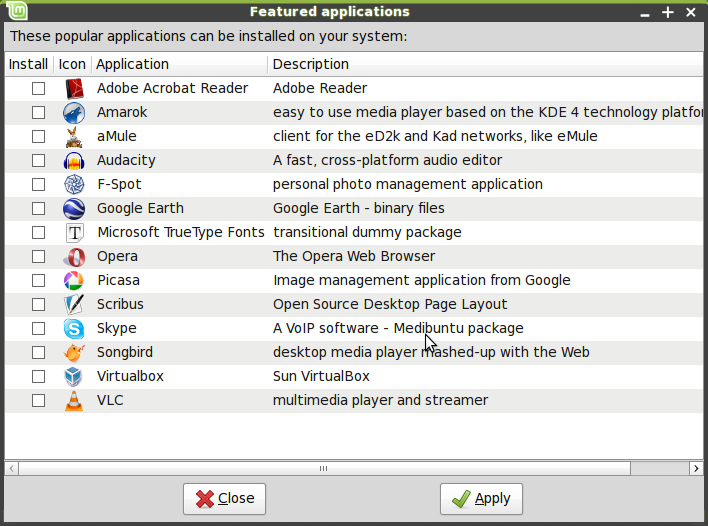
Featured applications in mintInstall
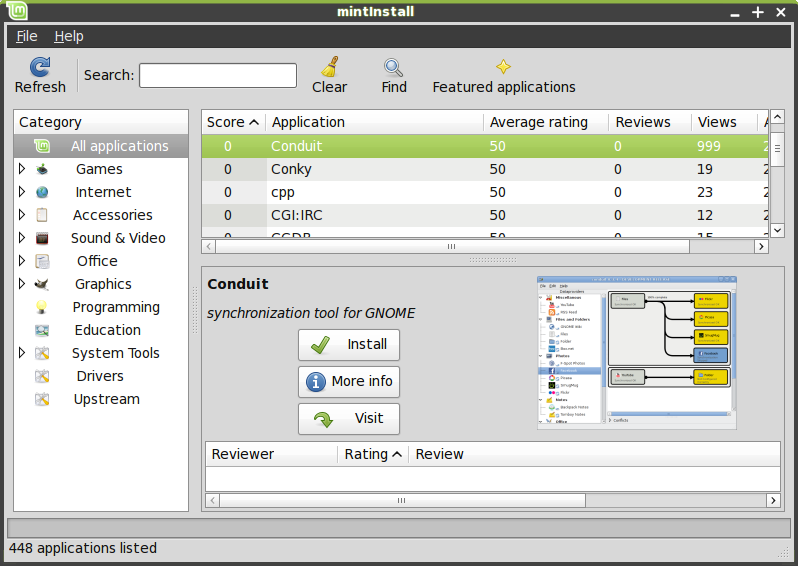
mintInstall's main window
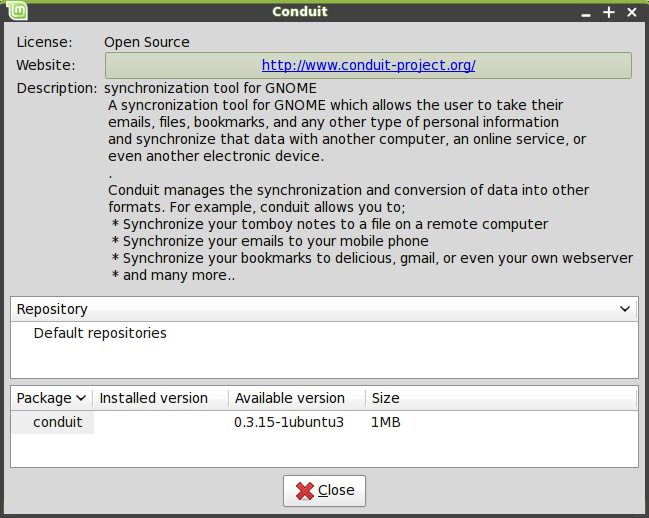
mintInstall's "More Info" window
* mintUpdate improvements
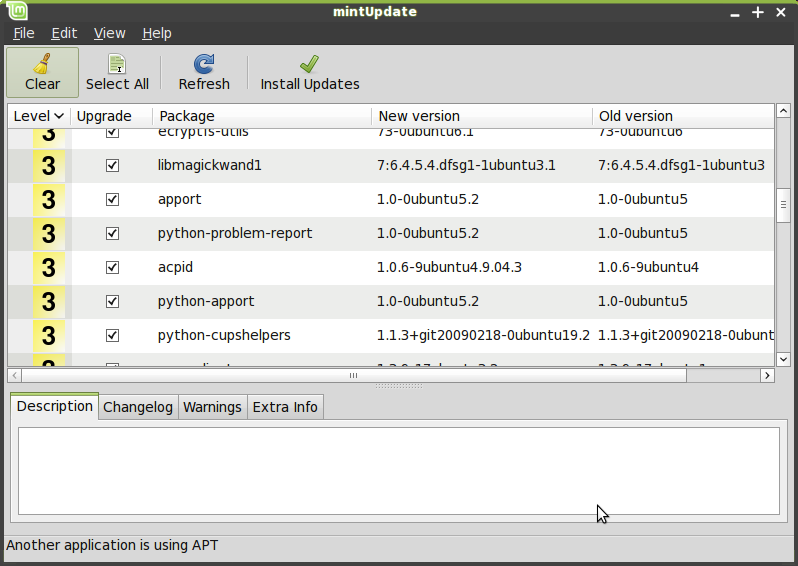
mintUpdate now shows the download size of each upgrade and supports Linux Mint changelogs.
* mintUpload improvements
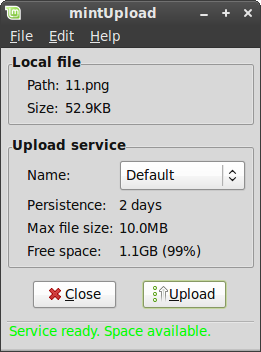
mintUpload's main window
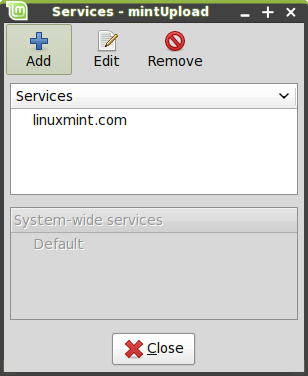
mintUpload's new service manager
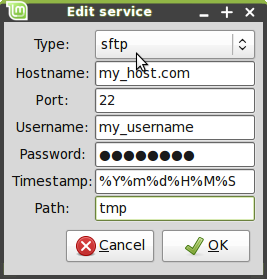
Editing a service in mintUpload
* mintWelcome
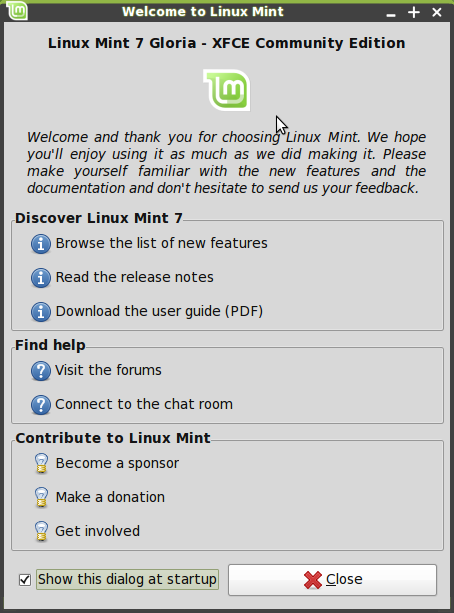
mintWelcome pointing new users to a few directions
Command line goodies - apt version, rtfm
New artwork
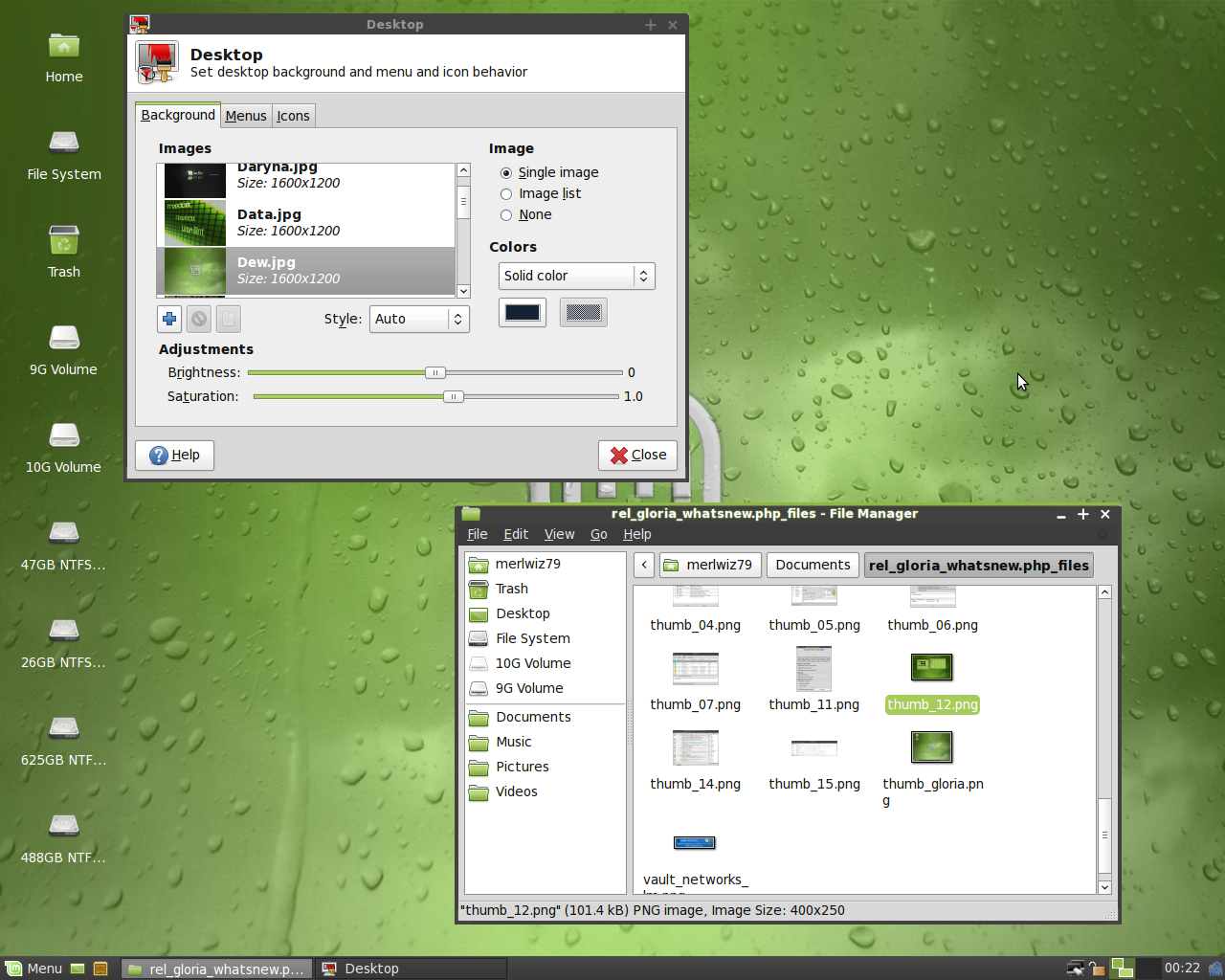
The new Shiki-Mint theme, Shiki-Wise + Mint Dew
Other Changes
- pyNeighborhood replaced FuseSMBTool and mintDesktop's automount.
- Transmission BitTorrent Client replaced Deluge.
- VLC was removed for space.
- Tomboy removed for space.
- aptlinex was installed for the apt urls in Firefox.
- All the old artwork was removed and will be made into a package.
- Samba was removed for space.
- Removed vim for space.
Other improvements
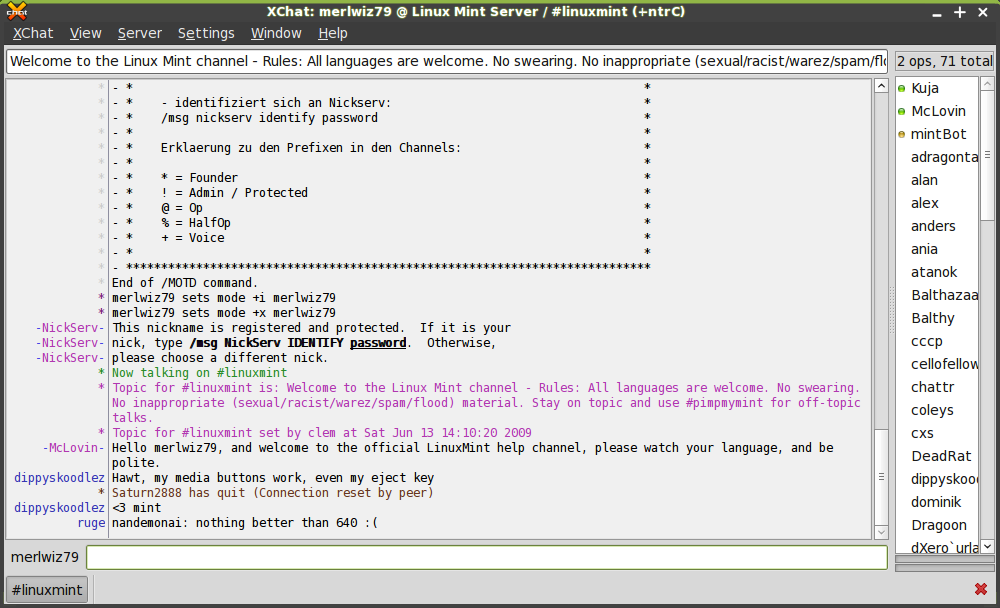
The Xchat IRC client
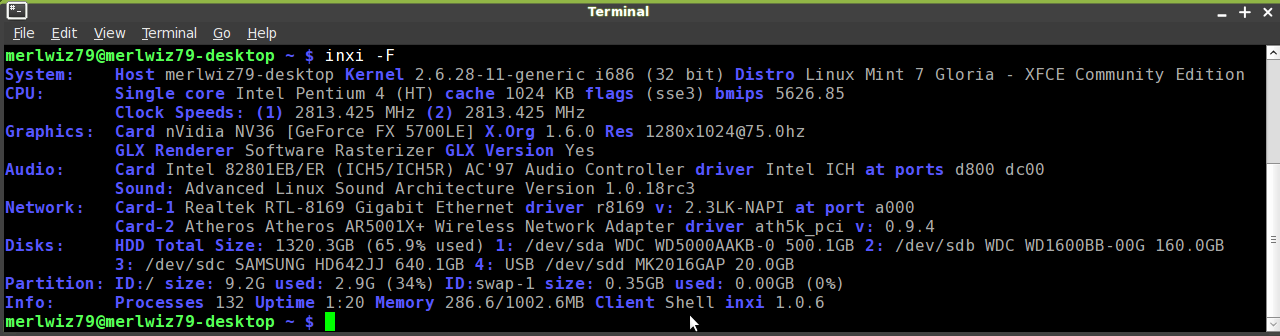
Inxi in action
- "apt purge" was fixed.
- "apt source" now runs in user mode.
- All Mint tools are now launchable from the command line.
- All Mint tools now detect their environment and adapt to it. In particular they know whether to use gksu or kdesudo. The consequence of this is that packages like mintupdate-gnome or mintupdate-kde are not needed anymore, and the same package is now compatible with all desktop environments.
- All Mint tools using an about dialog now show their own version number.
Upstream Improvements

Linux is an operating system, like Microsoft Windows, MacOS, or Unix. It was created as a hobby by Linus Torvalds, a student at the University of Helsinki in Finland. What most people don’t know about Linux is that its source code is available to anyone. The Linux source code is called the kernel and it is the base of the Linux operating system. Because the source code or kernel is free, it has enabled hundreds of companies and individuals to release their own operating systems based on the Linux system. These operating systems or formats are often referred to as Linux distributions.
Each distribution has its own set of features and functionality that makes it unique. While Linux is generally considered free-ware and people associate that with no cost, that is not always the case. Some distributions are available for download for free and others are available on CD or floppy disk and have a small charge associated with them. You can find a list of distributions at http://www.linux.org/ and a list of applications at http://www.Linux.org/apps/
Because if the adaptability of Linux it has been embraced and supported by a number of operating systems and software programs. For example, IBM, Hewlett-Packard and other giants of the computing world have embraced Linux and support its ongoing development and openoffice.org and Mozilla run on Linux. US retailing giant Wal-Mart began selling Linux systems back in 2002 - if Wal-Mart isn't mainstream, nothing is.
What are the benefits of Linux?
Many people fear that Linux is going to be difficult to work with or that it will be difficult to find software that will run on Linux however Linux is a very standard operating system, compatible with just about any software you need.
Beyond being a standard operating system, Linux supports open source software which makes it a very economical operating system, especially if you program your own software. It offers many free or low cost applications which include, basic desktop applications like web browsers, email programs, word processing programs, spreadsheets, graphics programs, and file managers.
Linux can easily operate as a central server for your business. With Linux, you can serve your own web pages up for public consumption and handle your own email.
Linux doesnt require top of the line hardware though many recommend you have at least 256 MB of RAM and at least 4 GB of space in your hard drive.
Linux is considered to be extremely stable and doesnt need to be rebooted periodically to maintain performance levels. Think about the last time you sat at your computer and it froze. Not fun, right? That doest happen with Linux if it is configured correctly.
Linux isn’t going to be replaced anytime soon and when bugs are found in the system, a developer are quickly on the job and often times a solution is offered within a matter of hours, not months or years like many other operating systems.
Linux is also fast and can handle a number of tasks at the same time.
Linux also claims to be one of the most secure operating systems isn’t plagued with the viruses that other operating systems generally deal with.
Linux is free from having to upgrade it or deal with proprietary file formats and licensing fees. You dont have to register it due to its open source format.
You can have both Linux and windows on your computer. (You'll have to partition them on your hard drive and you can only boot them one at a time.)
Drawbacks of Linux
There is no 1800 customer service number to call. However, most distributions offer a support number or email to call if you find a bug. They also generally come with installation instructions.
You cannot run applications for MS windows on Linux. However, there are Linux emulators or applications that enable you to run some windows applications on your Linux system. They operate like a translator. Some of these ‘translation or emulator’ products are free and others are available for a price.
Linux is not able to run some advanced financial applications or reproduce some proprietary multimedia formats.
Tips and Advice:
Choose a popular distribution has a large developer community. A large developer community means that you'll find the programs that you need easily and you will be able to install them with the same ease. The more well-known distributions have prepared programs in ‘packages’ that are easy to install. On top of this, there are tools designed especially for a particular distribution to manage these packages to make sure that programs run correctly right away. The website Distrowatch.com maintains a comprehensive list of the most popular distributions.
Get the latest version of your chosen distribution. The newer the Linux distribution version, the better the hardware support. The number of glitches you'll get in the installation process decreases with the newness of the version of Linux you choose.
Consider paying for your Linux distribution. It is true that you can get a full-featured Linux operating system free of charge by downloading it from any number of sources. This is an excellent alternative to an operating system like Windows, which either comes pre-loaded with a newly purchased computer (which gets figured into the cost), is bought separately or copied . In most people experience, the popular Linux distributions are easy to install. However, if you do run into some glitch (normally hardware related), you may have a frustrating experience. Although there are a number of excellent Linux support forums out there, personalized advice on your particular problem may be hard to find.
Use an appropriate computer. if you want to use Linux to do the same things that you would with Windows XP or Mac OS X, then you'll need the newest computer you can get your hands on. Avoiding video cards and new, exotic hardware will also work in your favor because you wont have to deal with hardware support which may be inferior to hardware support from other operating systems.


