


Showing posts with label Hacking. Show all posts
Showing posts with label Hacking. Show all posts
I really liked the breadcrumbs system in Vista address bar and wanted to add it in XP .I found a great program using which you can get Vista Breadcrumb’s address bar in Windows XP.

This application should be really helpful for those of you that aren't ready to switch to Windows Vista yet, but want to get some of the new features.

What you need -
- Windows XP with .Net Framework 2.0 or higher
- QT AddressBar
- Free time :P
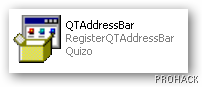
As application launches,Select the Install option, and then click the Next button to register the component with Windows.

The program may ask you to restart your system or to Log off and then login again. Here is a neat trick. Go to task manager,and restart explorer.exe by ending it first and then running it again by selecting File \ New Task option once you kill the process.This will save you from Log on-Log Off and restart headaches.Actually it just refreshes the explorer shell to check and apply new components.
Once you have restarted the explorer,you can now right-click on the toolbars area and do these two actions:
- Deselect Address Bar
- Select QT Breadcrumbs Address Bar

Congrats you have applied the breadcrumbs clone in your Windows XP.

Enjoy!!!!

Mozilla Firefox
is blazingly fast,yet it has been facing stiff competition from Google Chrome in terms of speed.Yes, Firefox is already pretty damn fast but did you know that you can tweak it and improve the speed even more? That's the beauty of this program being open source
.
is blazingly fast,yet it has been facing stiff competition from Google Chrome in terms of speed.Yes, Firefox is already pretty damn fast but did you know that you can tweak it and improve the speed even more? That's the beauty of this program being open source

.

Here's what you do:
In the URL bar, type “about:config” and press enter. This will bring up the configuration “menu” where you can change the parameters of Firefox.
In the URL bar, type “about:config” and press enter. This will bring up the configuration “menu” where you can change the parameters of Firefox.
Note that these are what I’ve found to REALLY speed up my Firefox significantly - and these settings seem to be common among everybody else as well. But these settings are optimized for broadband connections - I mean with as much concurrent requests we’re going to open up with pipelining you’d better have a big connection.
Double Click on the following settings and put in the numbers below - for the true / false booleans - they’ll change when you double click.
browser.tabs.showSingleWindowModePrefs – true
network.http.max-connections – 48
network.http.max-connections-per-server – 16
network.http.max-persistent-connections-per-proxy – 8
network.http.max-persistent-connections-per-server – 4
network.http.pipelining – true
network.http.pipelining.maxrequests – 100
network.http.proxy.pipelining – true
network.http.request.timeout – 300
One more thing… Right-click somewhere on that screen and add a NEW -> Integer. Name it “nglayout.initialpaint.delay” and set its value to “0”. This value is the amount of time the browser waits before it acts on information it receives. Since you’re broadband - it shouldn’t have to wait.
Now you should notice you’re loading pages MUCH faster now!

In this post I will tell you about how the domain names are hacked and how they can be protected. The act of hacking domain names is commonly known as Domain Hijacking. For most of you, the term “domain hijacking” may seem to be like an alien. So let me first tell you what domain hijacking is all about.
Domain hijacking is a process by which Internet Domain Names are stolen from it’s legitimate owners. Domain hijacking is also known as domain theft. Before we can proceed to know how to hijack domain names, it is necessary to understand how the domain names operate and how they get associated with a particular web server (website).
The operation of domain name is as follows
Any website say for example gohacking.com consists of two parts. The domain name (gohacking.com) and the web hosting server where the files of the website are actually hosted. In reality, the domain name and the web hosting server (web server) are two different parts and hence they must be integrated before a website can operate successfully. The integration of domain name with the web hosting server is done as follows.
1. After registering a new domain name, we get a control panel where in we can have a full control of the domain.
2. From this domain control panel, we point our domain name to the web server where the website’s files are actually hosted.
For a clear understanding let me take up a small example.
John registers a new domain “abc.com” from an X domain registration company. He also purchases a hosting plan from Y hosting company. He uploads all of his files (.html, .php, javascripts etc.) to his web server (at Y). From the domain control panel (of X) he configures his domain name “abc.com” to point to his web server (of Y). Now whenever an Internet user types “abc.com”, the domain name “abc.com” is resolved to the target web server and the web page is displayed. This is how a website actually works.
What happens when a domain is hijacked
Now let’s see what happens when a domain name is hijacked. To hijack a domain name you just need to get access to the domain control panel and point the domain name to some other web server other than the original one. So to hijack a domain you need not gain access to the target web server.
For example, a hacker gets access to the domain control panel of “abc.com”. From here the hacker re-configures the domain name to point it to some other web server (Z). Now whenever an Internet user tries to access “abc.com” he is taken to the hacker’s website (Z) and not to John’s original site (Y).
In this case the John’s domain name (abc.com) is said to be hijacked.
How the domain names are hijacked
To hijack a domain name, it’s necessary to gain access to the domain control panel of the target domain. For this you need the following ingredients
1. The domain registrar name for the target domain.
2. The administrative email address associated with the target domain.
These information can be obtained by accessing the WHOIS data of the target domain. To get access the WHOIS data, goto whois.domaintools.com, enter the target domain name and click on Lookup. Once the whois data is loaded, scroll down and you’ll see Whois Record. Under this you’ll get the “Administrative contact email address”.
To get the domain registrar name, look for something like this under the Whois Record. “Registration Service Provided By: XYZ Company”. Here XYZ Company is the domain registrar. In case if you don’t find this, then scroll up and you’ll see ICANN Registrar under the “Registry Data”. In this case, the ICANN registrar is the actual domain registrar.
The administrative email address associated with the domain is the backdoor to hijack the domain name. It is the key to unlock the domain control panel. So to take full control of the domain, the hacker will hack the administrative email associated with it. Email hacking has been discussed in my previous post how to hack an email account.
Once the hacker take full control of this email account, he will visit the domain registrar’s website and click on forgot password in the login page. There he will be asked to enter either the domain name or the administrative email address to initiate the password reset process. Once this is done all the details to reset the password will be sent to the administrative email address. Since the hacker has the access to this email account he can easily reset the password of domain control panel. After resetting the password, he logs into the control panel with the new password and from there he can hijack the domain within minutes.
How to protect the domain name from being hijacked
The best way to protect the domain name is to protect the administrative email account associated with the domain. If you loose this email account, you loose your domain. So refer my previous post on how to protect your email account from being hacked. Another best way to protect your domain is to go for private domain registration. When you register a domain name using the private registration option, all your personal details such as your name, address, phone and administrative email address are hidden from the public. So when a hacker performs a WHOIS lookup for you domain name, he will not be able to find your name, phone and administrative email address. So the private registration provides an extra security and protects your privacy. Private domain registration costs a bit extra amount but is really worth for it’s advantages. Every domain registrar provides an option to go for private registration, so when you purchase a new domain make sure that you select the private registration option.
Wednesday, October 7, 2009
0
comments

THIS NETBIOS HACKING GUIDE WILL TELL YOU ABOUT HACKING REMOTE COMPUTER AND GAINING ACCESS TO IT’S HARD-DISK OR PRINTER.NETBIOS HACK IS THE EASIEST WAY TO BREAK INTO A REMOTE COMPUTER.
STEP-BY-STEP NETBIOS HACKING PROCEDURE
1.Open command prompt
2. In the command prompt use the “net view” command
( OR YOU CAN ALSO USE “NB Scanner” OPTION IN “IP-TOOLS” SOFTWARE BY ENTERING RANGE OF IP ADDRESSS.BY THIS METHOD YOU CAN SCAN NUMBER OF COMPUTERS AT A TIME).
Example: C:\>net view \\219.64.55.112
The above is an example for operation using command prompt.”net view” is one of the netbios command to view the shared resources of the remote computer.Here “219.64.55.112″ is an IP address of remote computer that is to be hacked through Netbios.You have to substitute a vlaid IP address in it’s place.If succeeded a list of HARD-DISK DRIVES & PRINTERS are shown.If not an error message is displayed. So repeat the procedure 2 with a different IP address.
3. After succeeding, use the “net use” command in the command prompt.The “net use” is another netbios command which makes it possible to hack remote drives or printers.
180.149.217.137
Example-1:
C:\>net use D: \\219.64.55.112\F
Example-2:
C:\>net use G: \\219.64.55.112\SharedDocs
Example-3:
C:\>net use I: \\219.64.55.112\Myprint
NOTE: In Examples 1,2 & 3, D:,G: & I: are the Network Drive Names that are to be created on your computer to access remote computer’s hard-disk.
NOTE: GIVE DRIVE NAMES THAT ARE NOT USED BY ANY OTHER DRIVES INCLUDING HARD-DISK DRIVES,FLOPPY DRIVES AND ROM-DRIVES ON YOUR COMPUTER.THAT IS IF YOU HAVE C: & D: AS HARD DIRVES, A: AS FLOPPY DIVE AND E: AS CD-DRIVE, GIVE F: AS YOUR SHARED DRIVE IN THE COMMAND PROMPT
F:,”SharedDocs” are the names of remote computer’s hard-disk’s drives that you want to hack. “Myprint” is the name of remote computer’s printer.These are displayed after giving “net use” command. “219.64.55.112″ is the IP address of remote computer that you want to hack.
4. After succeeding your computer will give a message that “The command completed successfully“. Once you get the above message you are only one step away from hacking the computer.
Now open “My Computer” you will see a new “Hard-Disk drive”(Shared) with the specified name.You can open it and access remote computer’s Hard-Drive.You can copy files,music,folders etc. from victim’s hard-drive.You can delete/modify data on victim’s hard-drive only if WRITE-ACCESS is enabled on victim’s system.You can access files\folders quickly through “Command Prompt”.
NOTE: If Remote Computer’s Firewall Is Enabled Your Computer Will Not Succeed In Gaining Access To Remote Computer Through Netbios.That is Netbios Hacking Is Not Possible In This Situation.(An Error Message Is Displayed).So Repeat The Procedure 2,3 With Different IP Address.
Enjoy!!!
STEP-BY-STEP NETBIOS HACKING PROCEDURE
1.Open command prompt
2. In the command prompt use the “net view” command
( OR YOU CAN ALSO USE “NB Scanner” OPTION IN “IP-TOOLS” SOFTWARE BY ENTERING RANGE OF IP ADDRESSS.BY THIS METHOD YOU CAN SCAN NUMBER OF COMPUTERS AT A TIME).
Example: C:\>net view \\219.64.55.112
The above is an example for operation using command prompt.”net view” is one of the netbios command to view the shared resources of the remote computer.Here “219.64.55.112″ is an IP address of remote computer that is to be hacked through Netbios.You have to substitute a vlaid IP address in it’s place.If succeeded a list of HARD-DISK DRIVES & PRINTERS are shown.If not an error message is displayed. So repeat the procedure 2 with a different IP address.
3. After succeeding, use the “net use” command in the command prompt.The “net use” is another netbios command which makes it possible to hack remote drives or printers.
180.149.217.137
Example-1:
C:\>net use D: \\219.64.55.112\F
Example-2:
C:\>net use G: \\219.64.55.112\SharedDocs
Example-3:
C:\>net use I: \\219.64.55.112\Myprint
NOTE: In Examples 1,2 & 3, D:,G: & I: are the Network Drive Names that are to be created on your computer to access remote computer’s hard-disk.
NOTE: GIVE DRIVE NAMES THAT ARE NOT USED BY ANY OTHER DRIVES INCLUDING HARD-DISK DRIVES,FLOPPY DRIVES AND ROM-DRIVES ON YOUR COMPUTER.THAT IS IF YOU HAVE C: & D: AS HARD DIRVES, A: AS FLOPPY DIVE AND E: AS CD-DRIVE, GIVE F: AS YOUR SHARED DRIVE IN THE COMMAND PROMPT
F:,”SharedDocs” are the names of remote computer’s hard-disk’s drives that you want to hack. “Myprint” is the name of remote computer’s printer.These are displayed after giving “net use” command. “219.64.55.112″ is the IP address of remote computer that you want to hack.
4. After succeeding your computer will give a message that “The command completed successfully“. Once you get the above message you are only one step away from hacking the computer.
Now open “My Computer” you will see a new “Hard-Disk drive”(Shared) with the specified name.You can open it and access remote computer’s Hard-Drive.You can copy files,music,folders etc. from victim’s hard-drive.You can delete/modify data on victim’s hard-drive only if WRITE-ACCESS is enabled on victim’s system.You can access files\folders quickly through “Command Prompt”.
NOTE: If Remote Computer’s Firewall Is Enabled Your Computer Will Not Succeed In Gaining Access To Remote Computer Through Netbios.That is Netbios Hacking Is Not Possible In This Situation.(An Error Message Is Displayed).So Repeat The Procedure 2,3 With Different IP Address.
Enjoy!!!
How to hack Windows XP Password without resetting old Password.
Wednesday, September 23, 2009
0
comments
Pls follow the steps given below:
- Download Kon-Boot ISO and burn to CD. Refer to this article if you don’t know how to burn ISO file to CD.http://www.piotrbania.com/
all/kon-boot/
- Insert the Kon-Boot CD that you just burned and boot the computer with the CD. You will need to configure the BIOS to start up the computer with CD.
- A kryptos login splash screen appears. You’ll need to hit enter to continue or else the screen will stay there.
- Kon-Boot will tell you that it is ready to hax0R in. It will check SMAP BIOS entries, detect dummy BIOS, and fix SMAP entries.
- Windows will now load as normal.
- When the Log On to Windows box appear, simply type anything in the password box and you’re in! You can even leave the password field blank.
Enjoy!!!


